Overview:-
HeyGen AI is a modern AI video generator that allows users to create professional videos without using a camera, actors, or editing software. With the help of artificial intelligence, HeyGen can turn simple text into realistic videos with human-like avatars and natural voices.
This tool is becoming very popular among YouTubers, marketers, teachers, and online businesses because it saves time and makes video creation easy.
What is HeyGen AI?
HeyGen is an advanced AI video creation tool that allows users to generate professional videos using text. With this tool, you can create realistic videos without a camera, actors, or video editing skills.
HeyGen uses artificial intelligence to generate avatars, voiceovers, and lip-sync animations, making the video look like a real human presenter.
This tool is widely used by YouTubers, marketers, teachers, and online businesses because it saves time and makes video creation very easy.
It is mainly used for:
- YouTube automation
- Marketing videos
- Educational content
- Social media videos
- Business presentations
Because of its simple interface, beginners can also use it without any technical knowledge.
Key Features of HeyGen AI
1. Realistic AI Avatars:-
HeyGen provides a large collection of realistic AI avatars that can speak your script like a real person.
You can choose different genders, ages, and styles.
Users can also create custom avatars for business or personal branding.
2. Text-to-Video Generation:-
One of the main features of HeyGen is text-to-video.
You only need to write a script, and the AI automatically converts it into a professional video.
This feature is very useful for YouTube creators, teachers, and marketers.
3. AI Voice Generator:-
HeyGen includes high-quality AI voices that sound natural.
You can select different accents and languages.
It also supports voice cloning, which allows you to create videos using your own voice.
4. Multi-Language Support:-
HeyGen supports many international languages.
You can create videos in English, Hindi, Spanish, French, and many other languages.
This feature helps creators make global content.
5. Video Translation with Lip-Sync:-
HeyGen can translate videos into another language while keeping lip movement matched with the voice.
This makes the video look real and professional.
It is very useful for businesses and online courses.
6. Ready-Made Templates:-
The platform provides many templates for fast video creation, such as:
•Marketing videos
•YouTube intro videos
•Training videos
•Social media content
Templates help beginners create videos without editing skills.
7. High-Quality Export:-
HeyGen allows users to export videos in high resolution.
Paid plans support better quality and remove watermark.
This makes the videos suitable for professional use.
8. Easy Interface:-
The interface of HeyGen is simple and beginner-friendly.
Even new users can create videos without learning video editing.
Pricing Plans :
| Plan | Price | Features |
| Free | Limited | Basic video creation |
| Creator | Paid | More video minutes |
| Pro | Paid | HD export & avatars |
| Business | Paid | Team & advanced tools |
The free plan is good for beginners who want to test the tool
Advantages
- Easy to use
- No Camera required
- Realistic avatars
- Multi-language support
Disadvantages
- Free Plan has limited
- Paid plans are expensive
- Editing options are limited
How to Use HeyGen AI
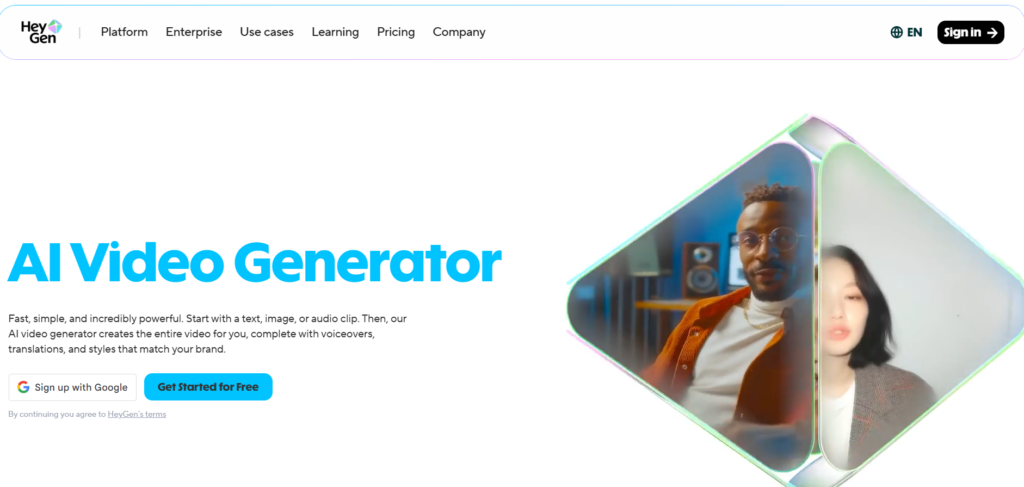
- Open the HeyGen website
- Create an account
- Write your script
- Select avatar and voice
- Click generate video
- Download the video
Why HeyGen AI is popular
HeyGen is becoming popular because video content is growing fast.
Many creators use AI tools to save time and make professional videos.
it is useful for:
Thank you for reading this post, don't forget to subscribe!- YouTube automation
- Online courses
- Marketing videos
- Business presentations
- Social media content