
Overview:-
Microsoft Copilot is a powerful artificial intelligence tool developed by Microsoft. It is designed to help users with writing, coding, searching, and office work. Copilot works with Microsoft products like Windows, Word, Excel, PowerPoint, and Edge, which makes it very useful for daily tasks.
In recent years, AI tools have become very popular, and Microsoft Copilot is one of the most useful assistants for students, bloggers, developers, and office workers. It can create content, answer questions, write code, and help in many types of work.
What is Microsoft Copilot?
Microsoft Copilot is an AI chatbot and assistant that can understand questions and give smart answers. It uses powerful language models to create text, solve problems, and help with different tasks.
Copilot is special because it works directly inside Microsoft apps.
- Writing documents
- Creating presentation
- Solving problems
- Coding programs
- Searching information
- Generating images
The special things about copilot is that it works directly inside Microsoft apps, so users do not need to open different tools.
Microsoft Copilot shows how AI can help humans, not replace them, by improving productivity and creativity.”
Thank you for reading this post, don't forget to subscribe!
Key Features of Microsoft Copilot
1. Smart AI Chat:-
Copilot can talk like a human and give clear answers.
You can ask questions, get explanations, and solve problems easily.
2. Productivity Booster:-
Copilot helps users finish work faster by giving suggestions and automatic writing.
3. Works with Microsoft Office:-
Copilot works inside Word, Excel, PowerPoint, and Outlook.
Examples:
•Write document in Word
•Create formula in Excel
•Make slides in PowerPoint
•Write email in Outlook
This feature saves time and makes work easier.
4. Content Writing Support:-
Copilot can write different types of content such as:
•Blog posts
•Emails
•Reports
•Notes
•Scripts
Bloggers and students use this feature to create content faster.
5. Coding Help:-
Copilot is very helpful for developers.
It can write and fix code in many languages like:
•Python
•JavaScript
•C++
•HTML
•CSS
•C#
This makes programming easier.
6. Internet Search and Answers:-
Copilot can search the internet and give updated information.
You can use it for study, research, and learning.
7. Image Creation:-
Copilot can generate images using AI prompts.
You can create thumbnails, logos, and illustrations.
8. Voice and Text Support:-
Users can type or speak to Copilot.
It understands both voice and text commands.
9. Easy Interface:-
Copilot has a simple design.
Even beginners can use it without difficulty.
10. Works on Windows:-
Copilot is built into Windows, so users can access AI anytime.
uses of Microsoft Copilot
- Office work
- Blog writing
- Coding help
- Homework help
- Presentation Making
- Email writing
- Research work
- Business tasks
Because of these uses, copilot is useful for both beginners and professionals
Advantages of Microsoft Copilot
- Works with windows
- Works with office apps
- Fast answers
- Good for writing
- Good for coding
- Easy to use
- Modern AI technology
Disadvantages of Microsoft Copilot
- Some features need paid plan
- Needs internet
- Advanced tools only in Microsoft apps
- Sometimes answer may be wrong
How to Use Microsoft Copilot
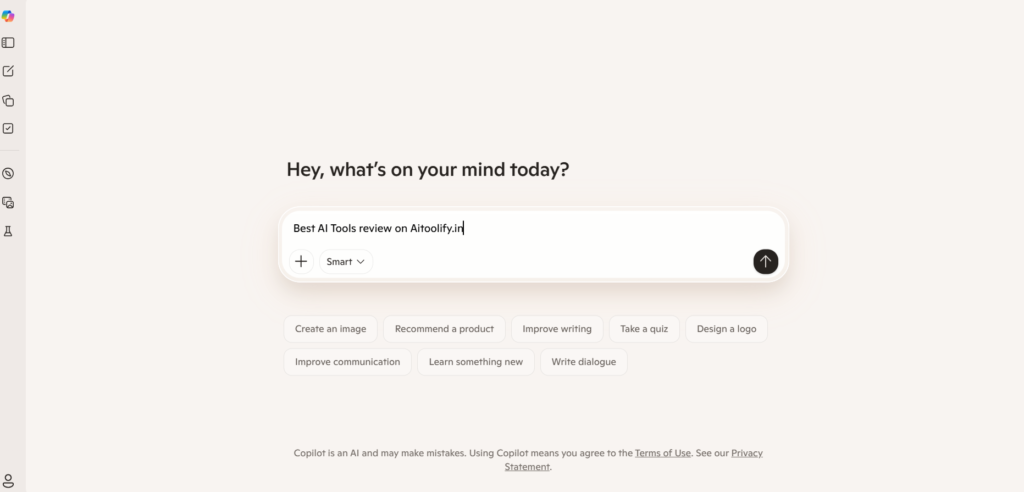
- Open Windows or Edge browser
- Search Coplilot
- Login With Microsoft account
- Open copilot questions
- Type your question
- Get instant answer