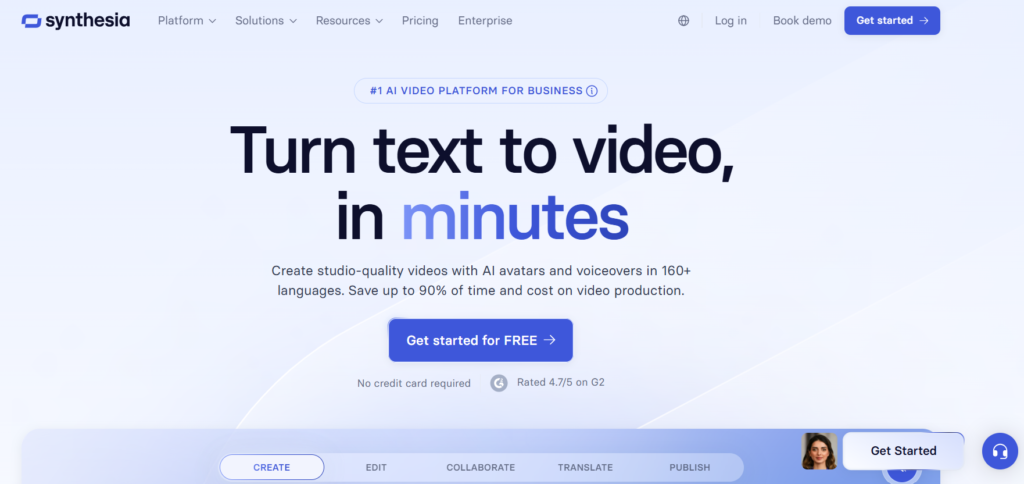
Synthesia AI is an advanced AI video generation platform that allows users to create professional videos using artificial intelligence. With this tool, you can convert text into videos with realistic avatars, voiceovers, and animations without using a camera or microphone. Synthesia is widely used by businesses, YouTubers, teachers, and marketers to create training videos, tutorials, and promotional content quickly. The platform saves time and cost by automating the video creation process.
What is Synthesia AI?
Synthesia AI is a text-to-video generator that uses machine learning and AI avatars to produce videos from scripts. Users only need to write text, choose an avatar, select a voice, and the system generates a complete video automatically. The platform supports many languages and templates, making it useful for global content creation. It is often used for business training, marketing, online courses, and social media videos.
How Synthesia AI Works
Synthesia works in a simple process.
Write a script or paste text.
Select an AI avatar and voice.
Choose a template or background
Click generate video.
The AI then creates a video with lip-sync, voice, and animation automatically. This process makes video creation much faster compared to traditional editing.
Key Features of Synthesia AI
1. Text-to-Video Generation:- Synthesia allows users to create videos directly from text. You only need to write a script, and the AI automatically generates a complete video with visuals, voice, and animation. This removes the need for cameras, actors, or editing software.
2. Fast Cloud-Based Video Creation:- Everything works online, so no heavy software is required. Videos can be created in minutes and exported easily.
3. AI Avatars:- The platform provides many realistic AI avatars that can speak your script. These avatars look like real people and can be customized with different styles, expressions, and backgrounds. Users can also create personal avatars in advanced plans.
4. Multi-Language Support:- Synthesia supports more than 160 languages and accents, making it possible to create videos for global audiences. You can also translate the same video into different languages with one click.
5. AI Voice Generator & Voice Cloning:- The tool includes built-in AI voices, so you don’t need to record audio. It can generate natural-sounding voiceovers and even clone voices in some plans, which makes videos more realistic.
6. Ready-Made Templates:- Synthesia offers professional templates for marketing videos, training videos, tutorials, and social media content. These templates help beginners create high-quality videos quickly.
7. Built-in Video Editor:- Users can edit videos directly in the browser without installing software. You can change text, avatar, background, voice, and animations anytime.
8. Screen Recording & Presentation Tools:- You can record screen tutorials, training videos, and presentations inside the platform. This is useful for teachers, businesses, and YouTubers.
9. Stock Media Library:- Synthesia provides a large collection of royalty-free images, videos, icons, and music that can be used inside projects, so you don’t need to download media from other sites. � Synthesia
10. Branding & Customization:- Users can add logos, colors, and brand styles to videos, which makes Synthesia useful for companies and marketing teams.
Uses of Synthesia AI
YouTube videos
Online courses
Business training videos
Marketing ads
Product demos
Social media content
Educational tutorials
Corporate presentations
Advantages
Easy to use
No camera required
Realistic AI avatars
Supports many languages
Fast video generation
Good for beginners
Disadvantages
Free version limited
Paid plan required for full features
Avatar videos may look artificial sometimes
Internet required
Conclusion
Synthesia AI is one of the best AI video generator tools available today. It allows users to create professional videos using text, AI avatars, and voice generation without expensive equipment. With features like multilingual support, templates, voice cloning, and online editing, the platform makes video creation fast and simple.
Although the free version has some limitations, Synthesia is very useful for YouTubers, businesses, teachers, and marketers who want to create high-quality videos quickly. Because of its powerful AI technology and easy interface, Synthesia is considered one of the top AI tools in 2026.
FAQ – Synthesia AI (Frequently Asked Question )
What is Synthesia AI? Synthesia AI is a tool that converts text into videos using artificial intelligence avatars and voice generation.
Why is Synthesia popular? Because it can create professional videos quickly without editing skills.
Is Synthesia free? Yes, Synthesia offers a free version, but full features are available in paid plans.
Can I make YouTube videos with Synthesia? Yes, many creators use Synthesia to make tutorials, marketing videos, and social media content.
Does Synthesia support multiple languages? Yes, it supports more than 160 languages and accents.
Do I need a camera to use Synthesia? No, videos are created using AI avatars, so no camera or microphone is needed.
Who should use Synthesia? Students, YouTubers, teachers, marketers, and businesses can use it.
Is Synthesia good for beginners? Yes, the interface is simple and easy to use.